D Link DNS-320L Network Attached Storage NAS ALT-F FirmWare
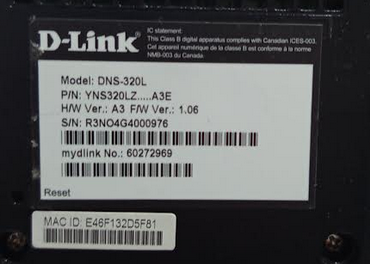
|
State when purchased
|
Research Links: Usage
- IP Address of NAS ( 1-23-2025 after flash ): https://192.168.1.26/
- GAI: how can I enable file sharing between my ubuntu laptop and d link 320L nas
- GAI: how does a file shared using samba appear in ubuntu linux?
- A Samba-shared file in Ubuntu appears as a mounted network volume, typically accessible through the Files (Nautilus) file manager under "Other Locations" or via a network shortcut. It is accessed using the smb:// protocol (e.g., smb://ip-address/sharename) and acts like a local folder, allowing users to browse, open, and modify files directly, provided they have the necessary credentials.
Original FirmWare Links
- Legacy: DLink: DNS-320L
- legacyfiles.us.dlink.com – /DNS-320L/REVA/FIRMWARE/ – Need original version of Firmware in case I need to restore
- LocalCopy: DNS-320L_REVA_FIRMWARE_v1.11B01.zip – this archive should have the FW required to restore to factory FW
- LocalCopy: DNS-320L_REVA_RELEASE_NOTES_v1.11B01.pdf
DNS-320L SetUp Reading List
- AskUbuntu: Ubuntu 20.04 can't access my dlink sharecenter
- forum Linux Mint: D-link 320L NAS access problem – this leads to the next link
- forum Linux Mint: Samba and Mint20
ALT-F Research Links
- SourceForge: ALT-F
- Support Forum: http://groups.google.com/group/alt-f
- Homepage: http://sites.google.com/site/altfirmware
- GGroups: Is there a way to check if Alt-F can run on DNS-320L rev A3? appears that it does work with the DNS-320L Rev A3
ALT-F FirmWare
HowTo Videos