Turning Off Hard to Read Terminal Colors in Ubuntu Linux
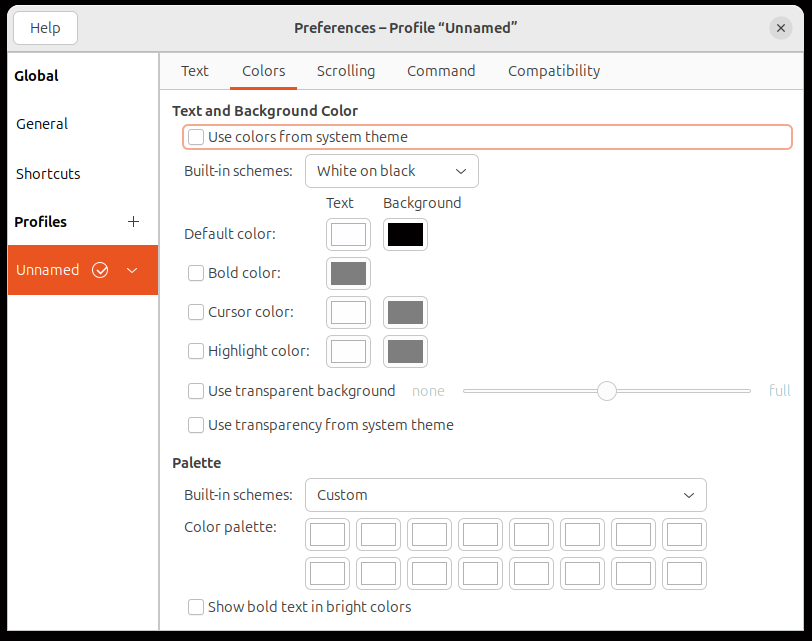
Step 4: Force white text in the terminal profile
In GNOME Terminal:
- Open Terminal → Preferences
- Select your profile (usually "Unnamed")
- Go to the Colors tab
- Uncheck Use colors from system theme
- Uncheck Use transparent background (if set)
-
Under Text and Background Color, uncheck Use colors from system theme and set:
- Text color: white #FFFFFF
- Background color: black (or your preference) #000000
- Under Palette, set all 16 palette colors to white — this overrides any remaining ANSI color codes from programs that ignore your shell settings