How to get paid to write open source software

— Video Went AWOL —

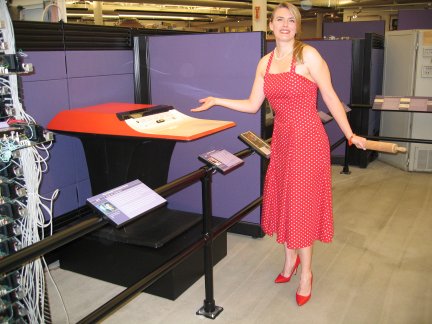
Val Henson describes her career in open source

  1.  Linux system programmers are in short supply
  2.  If you are vaguely competent and get some experience you become employed for life
  3.  Not all Linux programmers are idealists.  Now days it is a for profit motivation.
  4.  her pay profile progressed very well. Started at 150,000 per year in 1999 and doubled after 10ish years.
  5.  Telecommuting seems to be the end of the evolutionary progression
  6.  She travels all over the world to visit other programmers. 
  7. She thinks San Diego has the best weather in the world.  ( she obviously has not considered South America in that calculation )
  8. What would Val do?  If you will not get fired then why not do it ? 
  9. She knows developers who never leave the house
  10. Hours are flexible
  11. its not a 9-5 job.  She does not know anyone who does not care.  Hard to make it on 40 hours per week.
  12. Side effect is you only end up dealing with positive motivated people
  13. Open source is an enabling technology – good way to think about how and why a company would hire a person to help with open source from their point of view
  14. You have to be able to admit you do not know something.  ( duh!)   Linuxchix
  15. There are some famously rude people in the Linux community
  16. Careful with email!
  17. Some people get into open source by working on patches but much better to get a framework such as a job that gets you in contact with other people doing open source.
  18. Should be able to fairly quickly get into a position where you can telecommute 

Val Henson on LinkedIn

Vals blog

Ubuntu Screen resolution problems with ATI Rage XL graphics chip

I bought 3 Rackable Systems servers.  Turns out they have the ATI Rage XL graphics chip on the motherboard.  This is a problem because with Ubuntu there seems to be no easy way to get anything better than 800 by 600 display resolution.  As I am trying to use one of the boxes to learn about Ubuntu / Apache / MySQL / PHP this is a problem.   I did alot of diddling with the xorg.conf file to no avail.

While booting up and during shut-down the screen resolution was too high

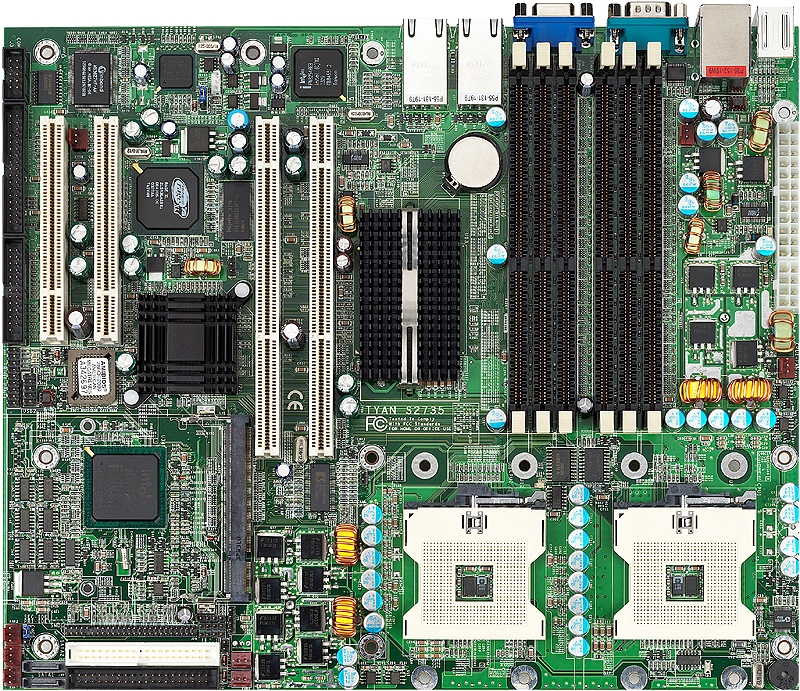
The motherboard is a Tyan S2735-8M.

The long pci slots are:   64-bit 133/100/66MHz (3.3V) PCI-X slots

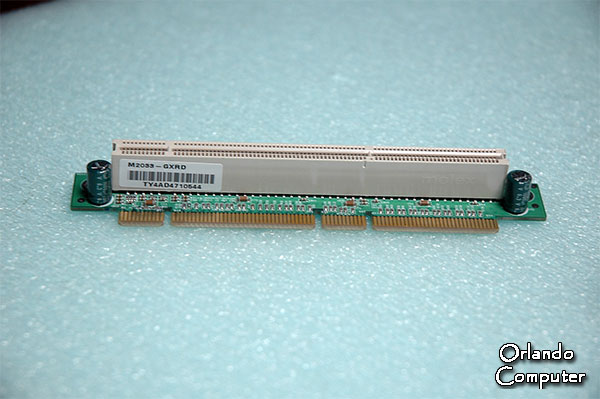
I found this riser card on ebay.  I am going to buy it and try putting a different video card in the server to facillitate development!

Looks like this guy had the same problem with a server with the same Rage XL graphics chip.

Slot keying diagram from wikipedia – My server card has 64 bit PCIx Universal slot.  The left portion of this slot is identical to a 3.3V 32 bit PCI slot.  Will a standard 32 bit PCI video card work in the 64 bit universal??

  • Will PCI work in a PCI-X slot?
  • PCIx exposed – PCI-X is downward compatible to PCI. If a PCI card is inserted into a PCI-X system the system will drop down to PCI level operations. It will not execute PCI-X based operations. Thus, to take advantage of PCI, engineers will have to rely only on PCI-X cards and boards.

Nvidia Driver model support list – Ubuntu Nvidia driver howto


UpDate January 30,2009

Having been driven half bonkers by 800×600 resolution I stopped by Fry's electronics and found they still sell a particular model of old fashioned PCI video cards.  The brand is BFG and the model is 6200 OC. It is based on a nVidia chip.  It took a while but now I have 1900×1200 resolution and about creamed myself when I saw it come up.  I used the Envy tool.  I tried the lastest version but that did not work.  I tried again with the next to latest and that worked.  It appears to not have used the proprietary driver. 

Setting up the VSFTPD daemon to accept connections from another computer


Testing the FTP server / WebServer installation

Find out your server computer local ip address on your router by using:   ipconfig -a

freemonsandlewould@freemonsandlewould-desktop:~$ ifconfig -a
eth1      Link encap:Ethernet  HWaddr 00:0f:1f:e2:12:e4  
          inet addr:192.168.1.104  Bcast:192.168.1.255  Mask:255.255.255.0
          inet6 addr: fe80::20f:1fff:fee2:12e4/64 Scope:Link
          UP BROADCAST RUNNING MULTICAST  MTU:1500  Metric:1
          RX packets:56119 errors:0 dropped:0 overruns:0 frame:0
          TX packets:45698 errors:0 dropped:0 overruns:0 carrier:0
          collisions:0 txqueuelen:1000
          RX bytes:56322994 (53.7 MB)  TX bytes:7952143 (7.5 MB)
          Interrupt:16

lo        Link encap:Local Loopback  
          inet addr:127.0.0.1  Mask:255.0.0.0
          inet6 addr: ::1/128 Scope:Host
          UP LOOPBACK RUNNING  MTU:16436  Metric:1
          RX packets:1134 errors:0 dropped:0 overruns:0 frame:0
          TX packets:1134 errors:0 dropped:0 overruns:0 carrier:0
          collisions:0 txqueuelen:0
          RX bytes:156376 (152.7 KB)  TX bytes:156376 (152.7 KB)


My boxes local IP on my router is 192.168.1.104  and you should substitute yours for this number.

Test the webserver

    Bring up a browser and dial in:  http://192.168.1.104/

Test the FTP server

   Dial in 192.168.1.104 into your FTP tool and your linux box users name and password.


In both of the tests above you should see a result that is recognizable.

How to edit Linux Ubuntu Files that are owned by the super user

I am new to linux / ubuntu and quickly found myself stymied and flumoxed when I wanted to edit a system configuration file.  This is because linux only lets the super user edit configuration files. Ok but Linux also will not let you log into the system when it is booting up as the super user in its default installation.  Fun huh?   You must use the terminal / command line mode to do this.  However I am a windows user and this is bending my brain a little.  The key is to open up the file from the command line while logged in as the super user.

   Accessories>>Terminal brings up the terminal program.  Then type in SU.  It will ask for the super user password.

After you are in as the super user you can then use:

  sudo gedit /etc/vsftpd.conf

This brings up the file in question just like you clicked on it in a gui file browser but it allows you to save off the file after you have made your alterations.

For the sake of speeding up my learning process I am going to configure my test server to allow me to log in from the bootup login screen to the root user.

 sudo gedit /etc/gdm/gdm.conf

This all came about because I need the FTP tool on Ubuntu