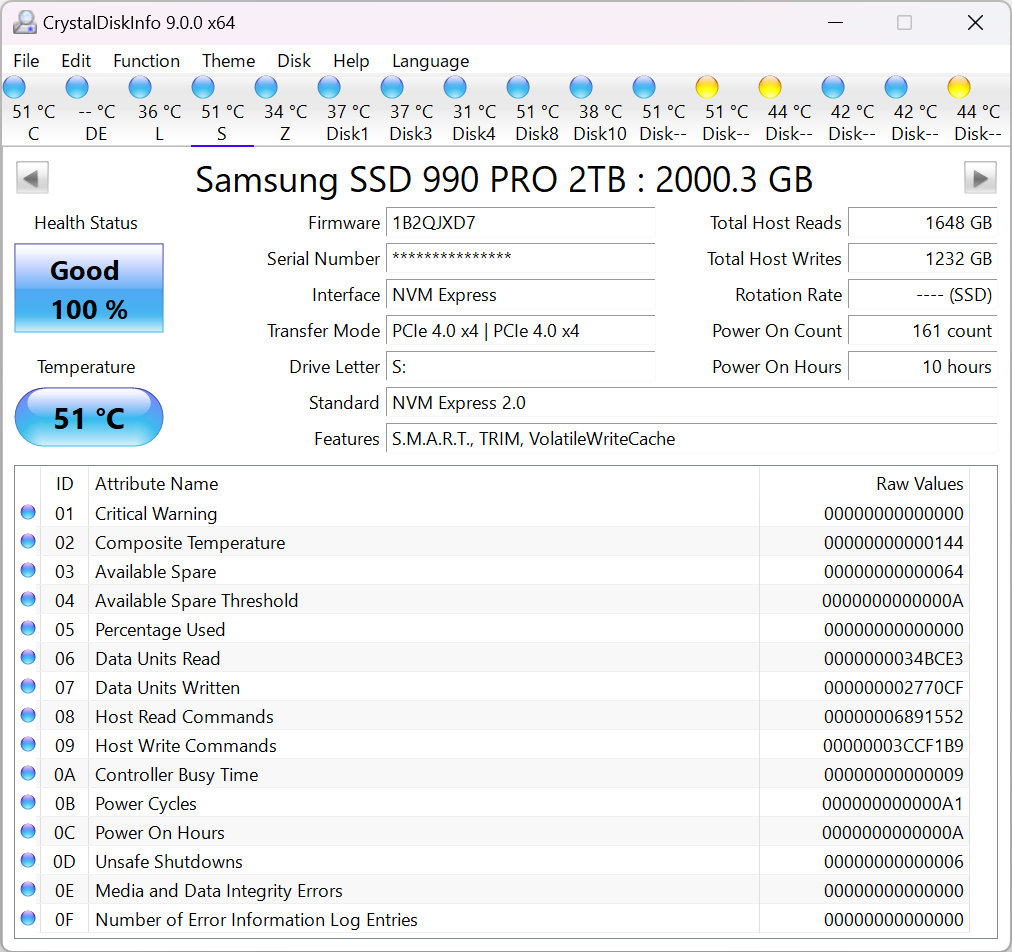
CrystalDiskInfo – Windows Based Hard Drive Mass Storage Telemetry Reading Software
Research Links
- GitHub: CrystalDiskInfo
- SourceForge: CrystalDiskInfo
- LocalCopy: CrystalDiskInfo
- G: crystaldiskinfo for linux – appears to not be available for Linux
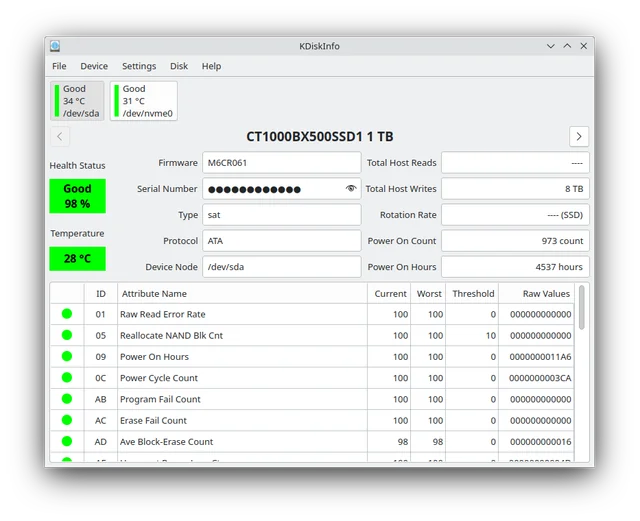
- Apresentando o KDiskInfo, uma alternativa ao CrystalDiskInfo para Linux
- G: KDiskInfo – KDiskInfo is a QT based GUI that uses smartCTL to provide a CrystalDiskInfo similar interface on Linux
- GitHub: QDiskInfo
CrystalDiskInfo is an useful software tool for keeping track of your hard disk health. You can also use it when buying equipment to determine how much the drive has been used.
Research Links
- Ghacks: How many hours have your hard disks been running?
- CrystalDiskInfo – where you can download
- Wikipedia: Comparison of S.M.A.R.T. tools

GAI: ubuntu linux similar to cristaldisk
Linux alternatives to CrystalDiskInfo include GUI tools like QDiskInfo and KDiskInfo, which provide a similar user experience by wrapping the command-line utility smartctl. For a built-in option, use the GNOME Disks utility to check health and run self-tests. The primary command-line tool is smartctl, part of the smartmontools package.
GUI alternatives
-
QDiskInfo:
A user-friendly graphical interface for
smartctlthat is designed to be similar to CrystalDiskInfo. -
KDiskInfo:
A Qt-based graphical tool that also uses
smartctlas a backend to provide CrystalDiskInfo-like functionality. -
GNOME Disks:
A built-in Ubuntu utility that can perform basic health checks and run self-tests on your drives. You can find it by searching for "Disks" in the Activities overview, then select a disk and click the menu button to find "SMART Data & Self-Tests…".
Command-line alternatives
-
smartctl: The core command-line utility for checking disk health.-
Installation: Install the
smartmontoolspackage usingsudo apt-get install smartmontoolson Ubuntu. -
Check health: Run
sudo smartctl -a /dev/sdato see all SMART data for a specific drive (replace/dev/sdawith your drive). -
Run self-test: Use
sudo smartctl -t short /dev/sdato start a short self-test.
-
Installation: Install the
- nvme-cli: A command-line tool specifically for NVMe drives.