Research Links
Auxiliary Links
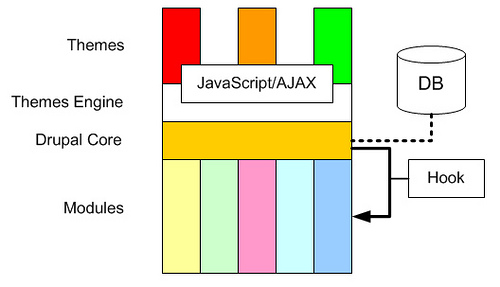
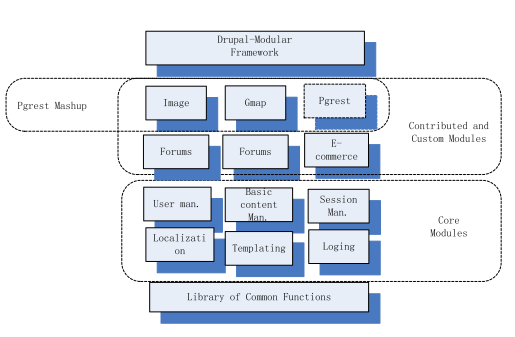
Below is the server side software architecture
From the FAQ: This depends on the features and support provided by the virtual or shared hosting service provider. You will need to be able to install the software tools required for OpenGTS (Java, Ant, Tomcat, MySQL, etc). You should also have 'ssh' access to the server to be able to remotely administer the GTS database and tables, restart Tomcat when necessary, and monitor log files. Each virtual/shared hosting service provider is different, so you will need to check with the specific provider to see if they support the features you require. These are some of the questions you should ask:
-
Is Linux available on the server? (what distribution? Fedora, CentOS, etc?)
-
Does the server have at least 2Gb of available RAM? (4Gb+ preferred for larger systems)
-
Does the server have at least 50Gb of available disk space? (300Gb+ preferred for larger systems)
-
Is 'ssh' access allowed/provided to the server?
-
Is 'root' access allowed/provided while on the server?
-
Can other software packages be loaded as required (such as Java, Tomcat, Ant, etc.)?
If the answer to these questions is yes, then this hosting provider will likely be able to run OpenGTS.
Dreamhost Inquiry – Can I install TomCat on a VPS?
We don't provide support for 3rd party application such at Tomcat but you are certainly free to try installing it
on the VPS yourself. If it turns out that root access is required for installation you'll need to set up and admin
user on your VPS as that will allow you root level access.
You can add an admin user from the following page:
https://panel.dreamhost.com/index.cgi?tree=vserver.adminusers&