Eagle PCB ULP Tutorial: User Language Program that lists the directory path of the Project File

When you need to know the path of the project you are running the ULP within the following code snippet is useful.


string get_project_path() {
  if (board)     board(B)     return(filedir(B.name));
  if (schematic) schematic(B) return(filedir(S.name));
  if (library)   library(B)   return(filedir(L.name));
}


string Directory;
Directory = get_project_path();
dlgMessageBox(Directory, "+Yes", "No","Maybe");   

Tutorial: Eagle PCB ULP to write Script that Changes all the Devices in a library to have Value = ON

You select a device in an opened library for edit by using this syntax:  edit deviceset

Value is set to an active editable value with the syntax:  value on

Thus on a meta level this script is going to do the following things for each part in the library:

  • write the open device command to script file using syntax:  edit deviceset
  • write the turn the device value to script file using syntax: value on
  • repeat until all the parts in the library have been cycled through

This script will build upon the script that lists the devicesets in a library.


//—— Get the ULP Path ——//

string ULP_Path;
char bkslash = '/';
int pos = strrchr(argv[0], bkslash);

  if (pos >= 0) 
    { 
      ULP_Path = strsub(argv[0], 0, pos + 1);
    }

output(ULP_Path + "TurnValueOnAllParts.scr", "wt"){library(L) { L.devicesets(D) { printf("edit " +  D.name + ".dev" + "\n"); 
                                                                                  printf("value on \n");
                               
                               }}}


Note that the script cycles through devicesets and not devices. 

Using WinSmith Program to Design Matching Circuit of 900MHz ISM Band Power Amplifier

WinSmith is a Smith chart match calculating program.  The starting point is 8 – j16 ohms @ 915MHz.  Both the blue and the green curves start at this point at the lower left of the curves.  Click on the image to see a bigger version

DrainMatching_MW7IC915NT1_WS

What is interesting about the above plot is that the elements work orthogonally.  That is to say for any point selected by component of move #2 or move #3 work independently.  

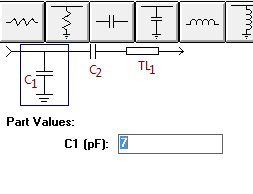
The matching circuit is shown below:

DrainMatchingCircuit    

Nominal values

  • TL1:  45 degrees of 50 Ohm transmission line @ 900MHz
  • C2:   25pF 
  • C1:   7pF

The left side is 50 Ohms match and the right side is what presents a conjugate match to the FET IC drain circuit.  Move #1 on the Smith chart is the 45 degrees of 50 Ohm characteristic impedance transmission line.

Tuning Procedure- theoretical

  • The output load of the FET MMIC amplifier will vary somewhat.  In spite of this the 45 degrees will transform the load to a region in the charge where the two caps can move the load to the close to the center of the chart.
  • C2 has one job only:  move the load to a 0.02 conductance circle on the Smith chart.  This is the conductance circle that corresponds to 50 Ohms in shunt.  Once you know the value of this capacitor you solder in place and leave it.
  • C1 is used in shunt to bring the whole thing to the center of the chart.  A calculated value can be used for a first try.  You may need to cut and try to get absolute optimum on your lab model.  

Input Match

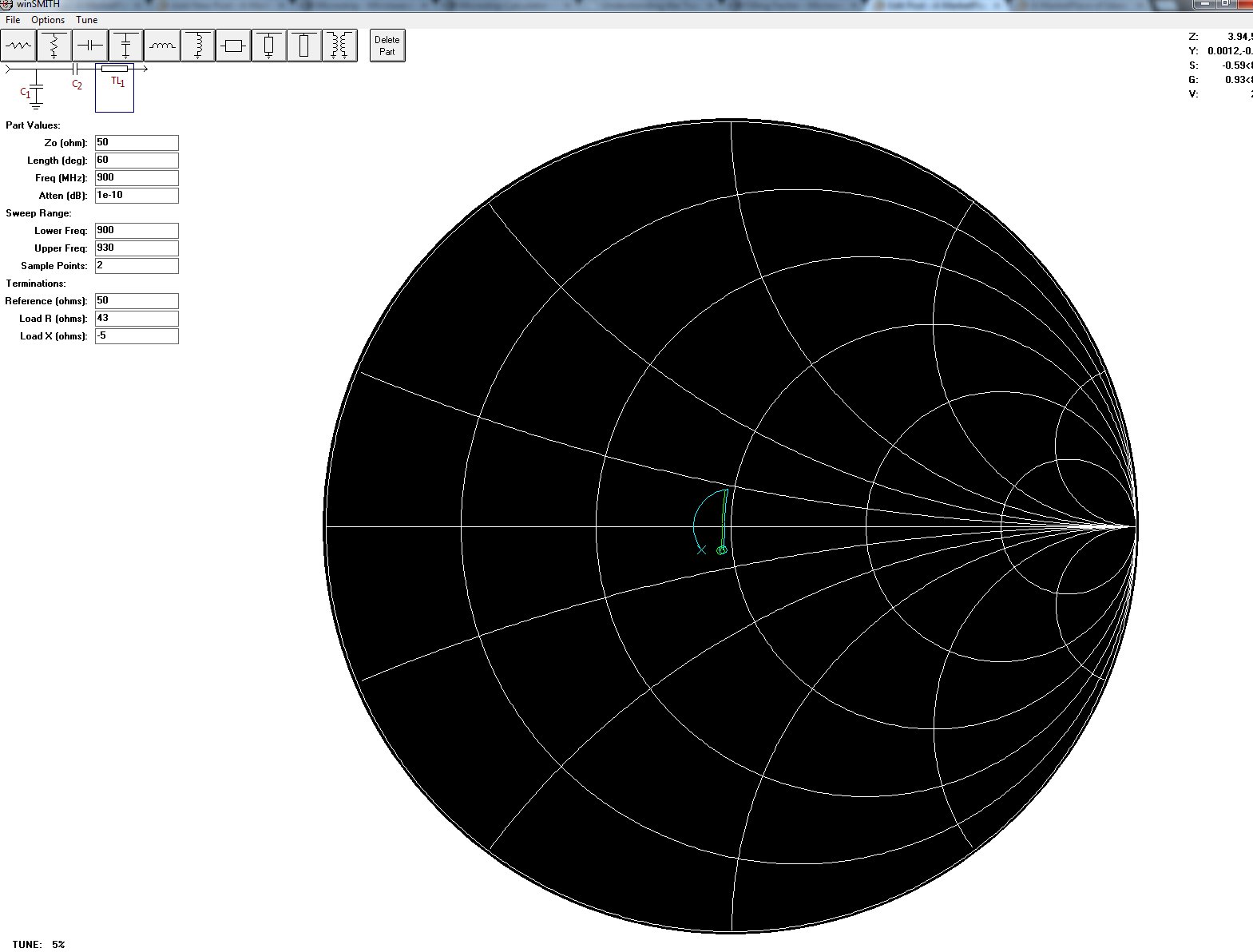
The input match is the same topology.  It starts much closer to 50 Ohms.  The nominal values are

  • TL1: 60 degrees of 50 Ohm line at 900MHz
  • C2: 22pF 
  • C1: 0.5pF – This is placeholder in case of surprises.  The match looks accomplished without it.

MW7IC_InputMatch

Links

Microstrip Filling Factor versus Relative Dielectric Constant Given fixed Line Impedance

Research Links

The question arose given a fixed microstrip transmission line characteristic impedance how does the percentage of the field in the substrate change? This is called the filling factor:

Keff=ER*FF+1x(1-FF)

It is the fraction of the field in the substrate.  I calculated the following values:

  • FF=(Keff-1)/(ER-1)
  • Dk=4 Z0=51 Deff = 3.07 which yields a filling factor of 0.69
  • Dk=10 Z0=50.5 Deff = 6.72 which yields a filling factor of 0.635

Thus it appears that the filling factor goes down with Dk as Z0 is held constant.

ARM Laptop Motherboard – IMX53QSB: i.MX53 Quick Start Board

Research Links

The i.MX53 Quick Start Board is a $149 open source development platform. Integrated with an ARM® Cortex™-A8 1 GHz processor and the Freescale MC34708 PMIC, the Quick Start Board includes a display controller, hardware-accelerated graphics, 1080p video decode and 720p encode as well as numerous connectivity options ideally suited for applications such as human machine interface in embedded consumer, industrial and medical markets.

Features

  • Full–size SD/MMC card slot
  • Micro SD card slot
  • 7–pin SATA data connector
  • 10/100BT Ethernet port
  • 2x high–speed USB Host port
  • 1x Micro USB Device port


Loading demo Linux Onto the card

  • IMX53_QSB_UBUNTU_SD_DEMO_IMAGE:    Download DescriptionClose –  File and Instructions to create an SD with an Ubuntu Demo Image like the one provided with the QSB. Supports MCIMX53-START and MCIMX53-START-R.    When I created the boot flash card the process went just as described in the booklet that came with the kit.  The board did not boot up.  Is the board bad?
  • Writing the demo linux image to flash card – Step by step

Features Needed for project

  • SATA for hard drive
  • WiFi 
  • USB
  • Ethernet
  • Audio In / Out
  • Drive a laptop LCD

​

ARM boards

Research Links: LCD Direct Drive

ULP tutorial that writes all the Reference Designators Values and an example Attribute to a text file

For my BOM ULP I want to use attribute fields that you can see here.  To do this I need to know how to read an attribute.  The code snippet below does that.  The test attribute name is FUDGE and the test value is VANILLA.   To read attributes you need to know what they are called as you will see below.


dlgMessageBox("Do you want to count the parts?","Yes","No","Maybe");                       //opens a dialog box: no matter what you answer it will count the parts.   It is a joke.


//—— Get the ULP Path ——//

string ULP_Path;
char bkslash = '/';
int pos = strrchr(argv[0], bkslash);

  if (pos >= 0) 
    { 
      ULP_Path = strsub(argv[0], 0, pos + 1);
    }
    

//—— This is the loop that gets the parts and writes to file —–//

int cnt=0;

output(ULP_Path + "ListOfParts.txt", "wt")
{  
if (schematic) schematic(S)                                                                //This nested set of loops cycle through all the parts and increment the count each pass through
  {
    S.parts(P)
      {
        P.instances(E)                                                             
          { 
            printf(E.name + "     " + E.value + "     " + P.attribute[“FUDGE”] + "\n");
            cnt++;
          }
      }
  }
 } 
  

string result;
sprintf(result, "The parts count is %d", cnt);
dlgMessageBox(result, "+Yes", "No","Maybe");                                               // display the parts count in a dlgMessageBox
  
exit(0); 

Notepad++ inactive tab-color fix for low readability

I had problems using the "Styler" settings with NotePad++.  I tried to set the inactive tab colors.  Each time after clicking SAVE the colors would revert.  Thus I resorted to googling and found a manual method to set the values in an XML file.

Interestingly enough the article about the low readability of NotePad++ tabs has very low readability with a complicated background image that makes the head hurt to read it.  Thus I am cutting and pasting here.


If you use Notepad++ as your primary source code editor, you might share my annoyance with the background color of inactive tabs. (The default color makes the inactive tab titles very hard to read.) Even more annoying is that when a person tries to edit the colors by going to Settings / Style Configurator, the changes don't stick. Here's a handy fix:

The file you need to alter is stylers.xml, which in Windows 7 is found in: C:\\Users\[your user file]\AppData\Roaming\Notepad++\stylers.xml.

Right at the bottom of the document, the very last WidgetStyle, is the following:

WidgetStyle name="Inactive tabs" styleID="0" fgColor="555555" bgColor="f0f0f0"

I've already changed the hex colors to what I like. The fgColor controls the text color ("foreground"), and the bgColor controls the background color. Set those however you like, restart your code editor, and you should be in business!