Multiple Computer SetUp with Multiple Monitors per Computer

Synergy desktop fusion software. Use same keyboard / mouse over a number of computers with shared clipboard

MCS – Multiple Computer Setup

The idea is to use multiple computers and have a seamless desktop where

  1. the clipboard is common from computer to computer
  2. you can slide from 1 monitor to another 
  3. copy and paste files from one computer to another
  4. use a single keyboard and mouse 
  5. not be required to use the same operating system on each system

I found an open source project that seems promising named Synergy. NOTE( June 2019 ): Yes it worked too well now the project is commercial software. The following links redirect to the commercial page.

There are still open source versions at these locations

Installing Synergy


Configuring and Running Synergy


Multiple Monitor Stand

vb6 Using Scintilla SciLexer DLL

vb6 Using Scintilla SciLexer DLL

SubClassing

Shell Reparenting

Scintilla in  VB


Before I begin let me state that yes I am aware that there is an activex control which wraps some of Scintilla's features. However like any such control it lacks many of the features Scintilla offers, and isn't updated to support any new features Scintilla adds. Along with that it has several fairly large bugs in it. My goal in this tutorial is to explain how to either use Scintilla without a wrapper or learn enough about how to make use of it to add any features that the control lacks.

What is Scintilla

For those of you who havn't seen Scintilla yet Check it out here. I take absolutly no credit for Scintilla. I didn't write it, nor have I even modified it. I'll admit it's code goes way beyond my own abilities. As for what it is? Well it's an excellent, free and opensource Library providing extensive support for syntax highlighting and it even offers code folding. It's quite stable, and cross platform. You can make use of it from just about any language that supports API calls in windows. This means yes VB can make use of it :)

The total source code for this tutorial is included with this submission. Before we get started you should download the source as this code makes use of 2 modules. These modules are fairly basic and very self explanitory. The one is some ini reading and writing code. Credit for this module goes total an author on PSC. Unfortunatly I was unable to find the original on PSC as I've had it quite some time, so I don't know who to name credit to so I'll just leave it at I didn't write it. The second module is actually from the ScintillaVB control and it's some of Scintilla's major constants.

….. more

How to disable Windows Automatic Updates and shut down the background process

How to disable Windows Automatic Updates and shut down the background process

C:\WINDOWS\system32\wuauclt.exe

This is Windows Automatic Update utility. It is unnecessary and uses internet, memory, and hd resources.  I use manual updating.

To disable Windows Automatic Update (wuauclt.exe)

  1. Start | Run | type "services.msc" | <Enter>,
  2. highlight and rightclick Automatic Updates, Select Stop, 
  3. then select Properties | set Startup Type to Disabled!
  4. Reboot.
  5. DO NOT   {Delete C:\WINDOWS\System32\wuauclt.exe   or from c:/WINNT/system32 on WinXP Pro v2002. //   *****ONLY DELETE THE FILE, NOT THE FOLDER*****}  …. as you will not be able to update.

You should periodically (every other month or so) go to  http://v4.windowsupdate.microsoft.com/en/default.asp and manually install all the latest security patches and fixes  for your Operating System. You will no longer be reminded or sent to do it, because it is disabled.

How to disable / eliminate : GoogleCrashHandler.exe

How to disable / eliminate :  GoogleUpDate.exe

To turn off Google Updater in XP:

  1. Start > Run, type in “services.msc”,
  2. then scroll to find Google Update Service.
  3. Double click on it and next to startup type,
  4. open the drop down menu and click on disable.

To execute from command line:  C:\Program Files\Google\Common\Google Updater\GoogleUpdaterService.exe

How to disable JQS.exe     –  Java Quick Starter was designed to improve the startup time of Java applets and applications by prefetching Java Runtime Environment (JRE) files frequently into memory. 

  1. Open Windows Control Panel.
  2. Click on  JAVA 
  3. Click on the ADVANCED tab
  4. Click on the + next to MISCELLANEOUS
  5.  Uncheck the box next to JAVA QUICK STARTER entry.

skypenames2.exe    Turns phone numbers in web pages into skype calling links. I do not use!  Thus this needs to be deleted.

To uninstall and remove the Skype add-on from IE do the following:

  1. Open up Internet Explorer 
  2. On the Command bar look for the Skype button icon and click on the button. –  The Command bar has the Home, RSS, Email and Print buttons, along with other IE Add-on buttons, if you don't see the Skype icon, you may need to click on the double arrow at the far right-end to show the other Add-ons.
  3. Now in the "Skype add-on for IE" pop-up box click the Uninstall button to remove the Skype add-on from Internet Explorer.
  4. In the Warning window, click OK to remove the Skype add-on from your computer.
  5. The Skype add-on for IE will be fully removed after you reopen all IE windows!
  6. Then a Windows install box will come up, click the Allow button.
  7. You will then be asked to close Internet Explorer  (Choose Automatically or Do not close applications (A Reboot may be required).  Save any work that you may be working on, and then click OK.
  8. The Skype toolbar add-on will the complete the uninstall and should be completely removed from Internet Explorer, once you open up IE.

A full restart may be desirable. 

If you're using Firefox and want to uninstall the add-on follow these steps:

  1. Open Firefox -> go to Tools -> Add-ons -> in Extensions, find the Skype extension for Firefox and click Disable.
  2. Then click the Restart Firefox button to complete your changes.

Turn Windows Defender Off

  1. Open Windows Defender by clicking the Start button >  clicking All Programs  >  and then clicking Windows Defender.

  2. Click Tools, and then click Options.

  3. Under Administrator options, select or clear the Use Windows Defender check box, and then click Save.  If you are prompted for an administrator password or confirmation, type the password or provide confirmation.

wscntfy.exe

is the Windows Security Center, introduced in Windows XP Service Pack 2. It displays a tray icon indicating the status of Windows updates, virus protection, and firewall. wscntfy.exe can be disabled by going to "Services" and disabling Security Center (this is not recommented).

Programs Left in Task Manager

  • alg.exe Application Layer Gateway service is a component of of Windows OS. It is required if you use a third-party firewall or Internet Connection Sharing (ICS) to connect to the internet. If you end this program using the Task Manager, you will lose all Internet connectivity until your next system restart or login.
  • mmc.exe is the Microsoft Management Console application and is used to display various management plug-ins accessed from the Control Panel, such as the mmc.exe is the Microsoft Management Console application and is used to display various management plug-ins accessed from the Control Panel, such as the Device Manager.

Find out what is going on

USB port may stop working after you remove or insert a USB device

Eprom Programmers and Eprom Related

EPROM Programmer

The Anti Inflammatory Diet

As previously mentioned in this blog I tried in my early 40's to lose weight.  I would run 5 miles per day and still only hold a steady weight.  No weight loss!  Below is an updated summary of the tricks I have discovered and developed to lose weight in an effortless fashion.  They work on me who has many over allergies.  They also work on my room mate who gets next to no exercise and has no overt signs of allergy. He gets no headaches and has no problem with psoriasis or with congestion.

Do not eat the following     In descending order of importance for inflammation response.

  1. Any wheat / gluten containing product  – make sure your beer is not made with wheat!  No gluten beer == no headache!  Many recommend whole grains but that is crazy.  The Romans noticed more than 2k years ago that soldiers fed wheat were not as ready for battle.
  2. No caffeine or erstwhile stimulants:  No chocolate either!  ( it is quite a stimulant )
  3. dairy product – cheese, milk , yogurt  
  4. eggs
  5. avoid peanut butter or any other item that tends to have alot of fungus in it.
  6. Sugar – ( this one is not so much inflammation issues as it is a simple insulin transform away from fat deposits )

Sleep is central to weight loss and function of a clear mind!

  1. debug your sleep process – this means figuring out if you have sleep apnea. This is common with people that are carrying extra weight. I experienced sudden wake ups after my throat would prolapse and prohibit breathing.
  2. buy an oxygen concentrator  and use it when you sleep – very deep sleep with very slow heart rates.  Its also good for getting rid of headaches.
  3. take an NSAID such as ibuprofen before going to sleep at night.  It helps your body reduce the irritations of the day during sleep.  

Additional techniques that are very helpful ( almost indespensible )

  • Cook for yourself and find recipes that are easy and efficient to prepare.  This allows you total control over what you eat.  If you prepare food that is so good that it hits your psychological satisfaction centers of the brain you'll find the going much easier
  • Get a pressure cooker off of ebay.  They are cheaper there than Walmart and you will get an older much higher quality pan there.  I am in love with my pressure cooker.  You really can not prepare beans very well without.  It takes too long and its virtually impossible to get the right texture.

For carbohydrates substitute dried beans such as chick peas or kidney beans for the carbohydrates you had in your diet.   I have lost 25 lbs at the very least with this diet at the age of 49.  A feat I had all but given up on until I invented the anti inflammation diet.  Likewise with my room mate who eats almost exclusively what I cook due to aversion to kitchen processes.  The energy release from beans is much more smooth than wheat flower which tends to hit you with a case of pasta shock.  These days I consider wheat flower to be a quasi sugar because of this.

The best theory I have for why this works is that the effects of allergy / inflammation / irritation of the body are such that they inhibit weight loss.  

Additional benefits

  • as you lose weight you will automatically start sleeping better
  • A nice side effect of this diet is you will be getting adequate fiber.  I have gone from moving once per day to up to 5 times per day. No more struggling!
  • joints feel much better.  Any sensation of sore or stiff joints are gone now.  
  • bph ( benign prostrate hypertrophy ) is lessened.  Caffeine is your enemy if you have this issue.
  • a clearer mind.  As an engineer I am super sensitive differences in my intellectual performance.  If I am having a bad day physically it translates directly into a poor intellectual performance.

Video: Beer Wars – A study in how big government regulation stifles free enterprise

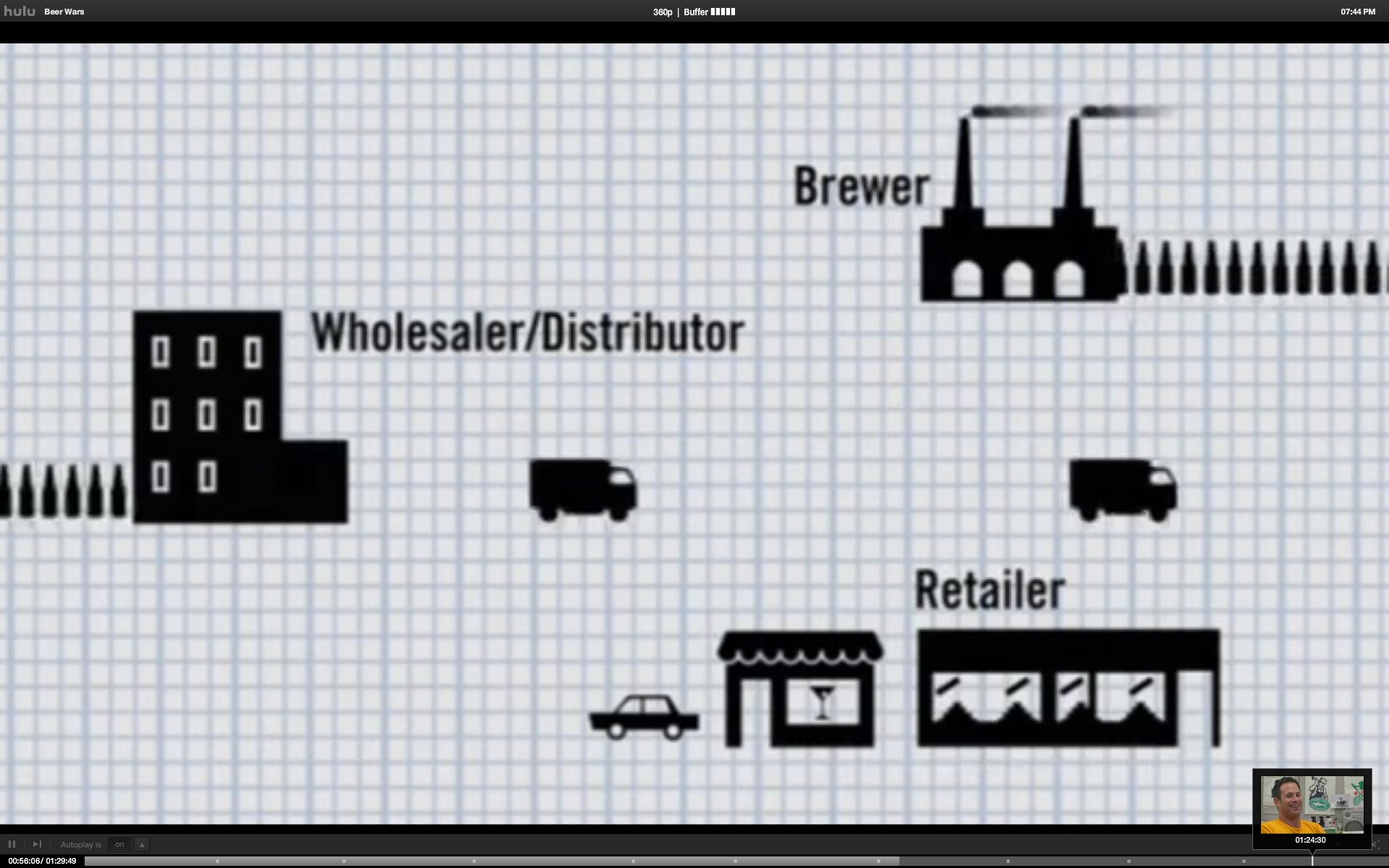
The 3 teired system of the beer industry is such that it is very difficult to introduce a new beer.

Beer Wars Movie Trailer from Beer Wars on Vimeo.

If you have a netflix account you can watch in full here

Ever wonder why for longer than you have probably  been alive that the only beers available have been poor quality pisswater pisners?  Well it is because your federal government conspires with its minions to limit free enterprise and competition.  As you watch Beer Wars make sure that you substitute the name of any number of industries for "beer".  Examples would be "health care", "oil", "automobile".  The list is endless.  Your government is your enemy.  Worse yet your government is the enemy of progress.